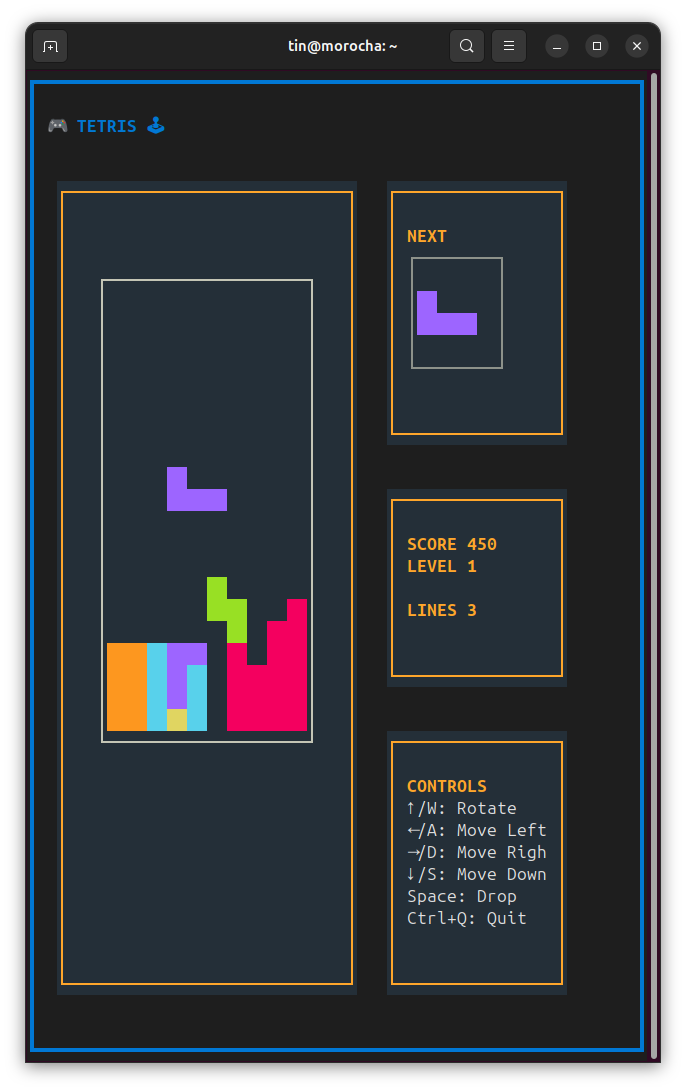
textual-tetris, a Tetris in the terminal

Since I remain unemployed while prioritizing my search for mental health, I spend my nerdy time on two worthwhile tasks:

  1. Collaborating with organizations that need technological solutions but do not have the budget to compete in the market for my skills.
  2. The one relevant to this post: learning new things by implementing old ideas from the permanent TO DO list I keep here, the ones I almost never found time for.

This time I wanted to learn a bit about Textual (the elder sibling of rich), an excellent Python framework for building text-based users interfaces.

And while I was at it, I learned how to make a Tetris clone that is pretty decent to play, does not look that ugly, and currently sits at under 600 lines of Python code, comments included. It looks like this:

But a taste is worth more than a thousand screenshots: open a terminal and, if you have uv installed (you should!), run:

uvx textual-tetris

And you are already playing Tetris!

Read more…

Easter eggs in your code with invisible text

According to (spanish) Wikipedia, an "easter egg" is

... is a hidden message or capability embedded in movies, television series, ..., software programs, or video games. Among programmers, there seems to be a drive to leave a personal mark, almost an artistic touch on an intellectual product that is by nature standard and functional. These days, Easter eggs aim to entertain, seek new job opportunities, pay tribute to executives, or amuse programmers.

I have no idea who convinced that gullible Wikipedian that software is "standard and functional", but it is true that the urge for software Easter eggs is almost as old as software itself.

Here is a technique I discovered back in kindergarten, when we would draw with lemon juice so that later, magically, the scribble would be revealed by the teacher's lighter (she was probably smoking in the blocks' corner).

So let’s see how to write invisible (digital) text: lemon juice’s Unicode counterpart.

Read more…

Ignoring git changes locally

It is well known that in a git repository we can use a .gitignore file to skip tracking files we do not want to push to the remote repository. If a file matches a .gitignore pattern, it will not appear in git status when you want to add its changes to a commit.

They are typically used to ignore directories where dependencies are installed (e.g. the virtualenv for Python projects, usually found in .venv), temporary files generated by the interpreter or compiler, IDE-specific files, and so on.

They are so common that GitHub offers gitignore templates curated for different programming languages, and tools such as uv init generate a basic .gitignore as part of the boilerplate.

A .gitignore is part of the project (it is committed), and it is important to keep it in the repository so that every collaborator shares the same configuration.

But what if we want to ignore files only locally?

Read more…